WordPress Plugin · Generative Engine Optimization

Your content, cited by AI.
Not just ranked by Google.

GEODashPress scores every page of your WordPress site for AI readiness, fixes what's missing in one click, and tracks when ChatGPT, Perplexity and Gemini actually cite you.

Tested up to WordPress 7.0 — fully compatible with the latest release
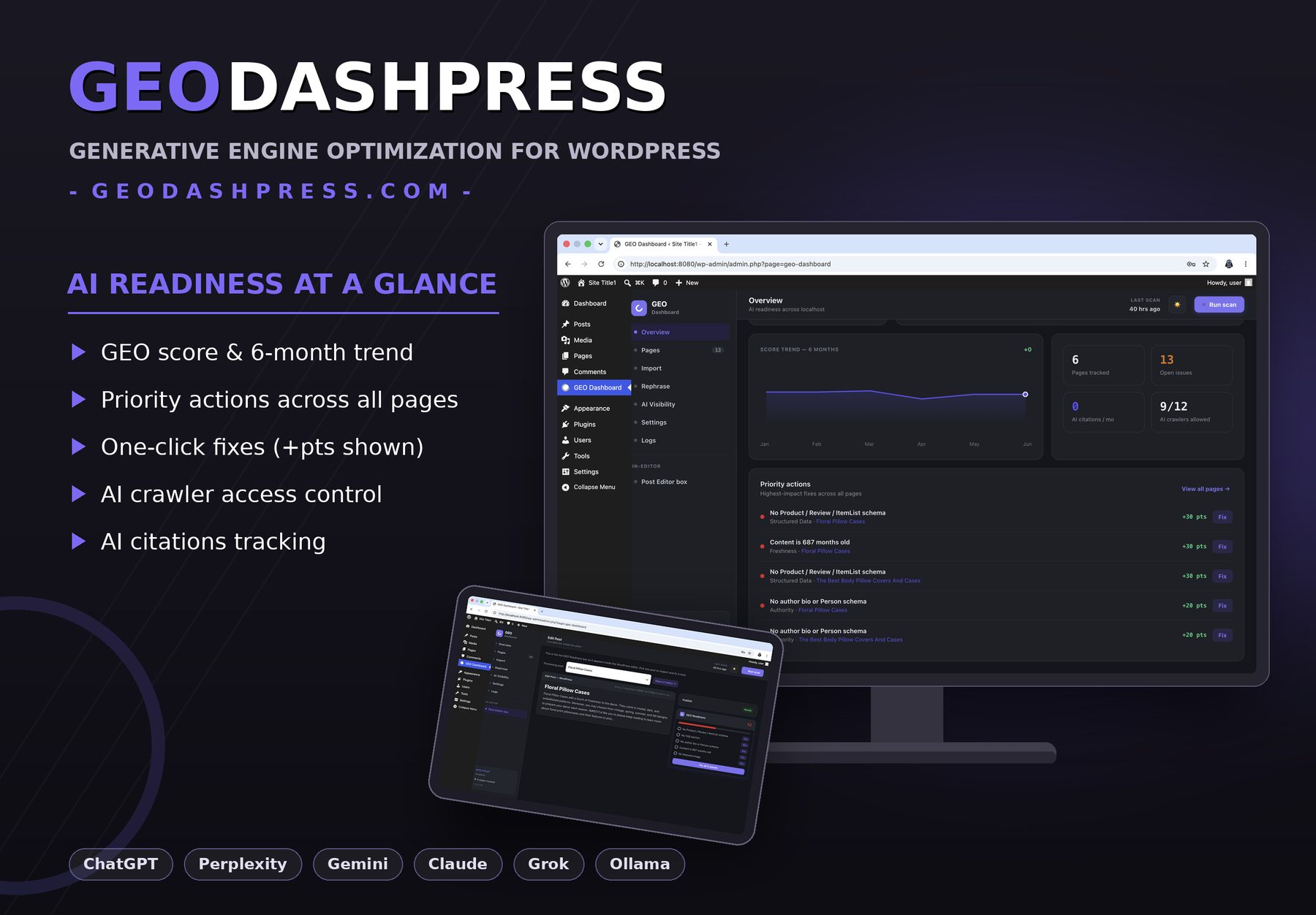
GEODashPress overview — AI readiness score, trend and priority actions
ChatGPTPerplexityGeminiClaudeGrokOllama
Why GEODashPress

SEO got you ranked. GEO gets you quoted.

AI assistants answer questions directly — and they cite the sites they trust. GEODashPress makes sure that's you.

📊

Per-page GEO score

Every post and page gets a 0–100 score with open issues, improvement potential and freshness — sortable, filterable, exportable.

One-click fixes

Missing Product, Review, FAQ or Person schema? Stale dates? No featured image? Fix per issue, per page, or all at once.

👁️

AI visibility tracking

Track prompts across ChatGPT, Perplexity, Gemini, Claude, Grok and Ollama. See citations, position and competitors over time.

✍️

Rephrase for citability

Paste any passage and get three AI rewrites tuned for direct answers, clear facts and natural tone. Pick the best.

🤖

AI crawler control

Allow or block GPTBot, PerplexityBot, Google-Extended and the rest — see exactly which of the 12 known AI crawlers can read your site.

🧾

Full audit trail

Every scan, fix, revert and import is logged with a timestamp and user. Nothing changes without a record — everything is revertible.

The basics

What is GEO?

Generative Engine Optimization (GEO) is the practice of optimizing your content so AI engines — ChatGPT, Perplexity, Gemini and Claude — can understand it, trust it, and cite it as a source in their answers. SEO gets you ranked on a results page; GEO gets you quoted inside the answer itself.

SEOGEO
GoalRank in search resultsBe cited in AI answers
Where you appearGoogle results pageChatGPT, Perplexity, Gemini, Claude responses
Key signalsKeywords, backlinks, speedStructured data, freshness, direct answers, author identity
GatekeepersGooglebotGPTBot, PerplexityBot, ClaudeBot, Google-Extended
Measured byRankings & clicksCitations & mentions in AI responses
Product tour

Everything lives in one dashboard

Pages

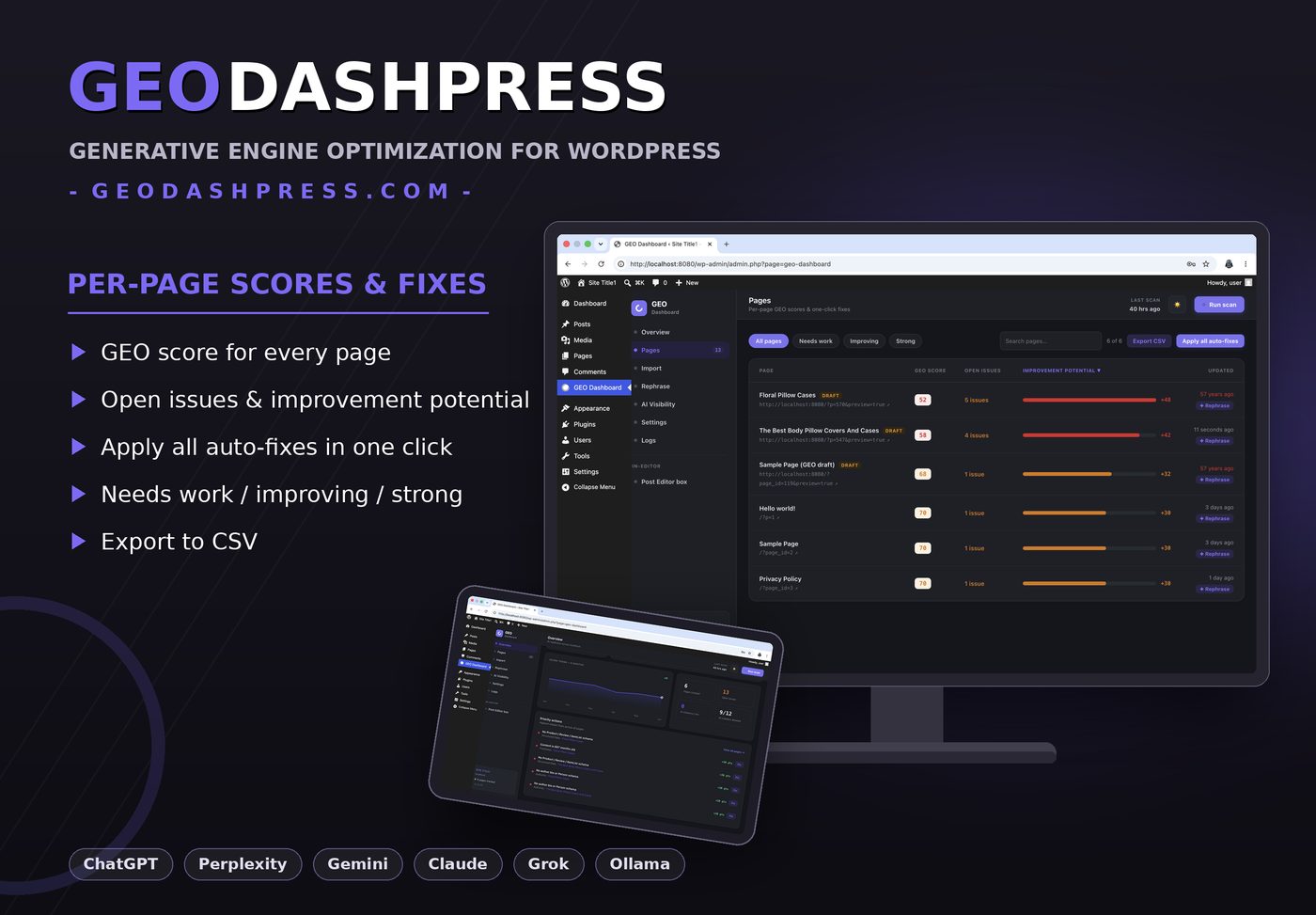
Per-page scores & one-click fixes

See your whole site at a glance: GEO score, open issues and how many points each fix is worth.

  • Filter by needs work / improving / strong
  • Apply all auto-fixes in one click
  • Export everything to CSV
Pages screen — per-page GEO scores and one-click fixes
Editor

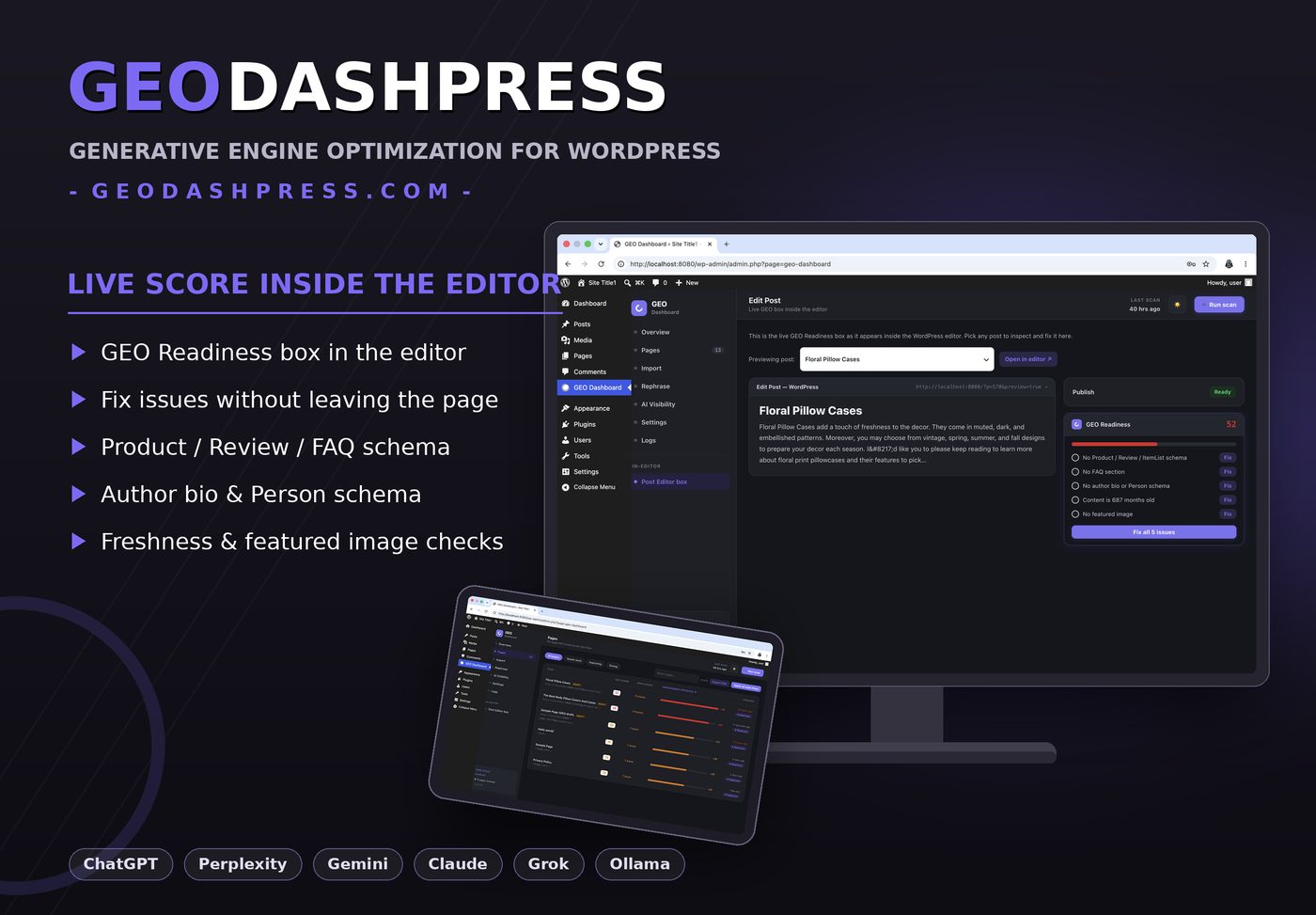
Live GEO score inside the post editor

The GEO Readiness box sits next to the Publish button — fix schema, freshness and author issues without leaving the page.

  • Score updates as you write
  • Fix all issues in a single click
  • Works with drafts before publishing
GEO Readiness box inside the WordPress editor
AI Visibility

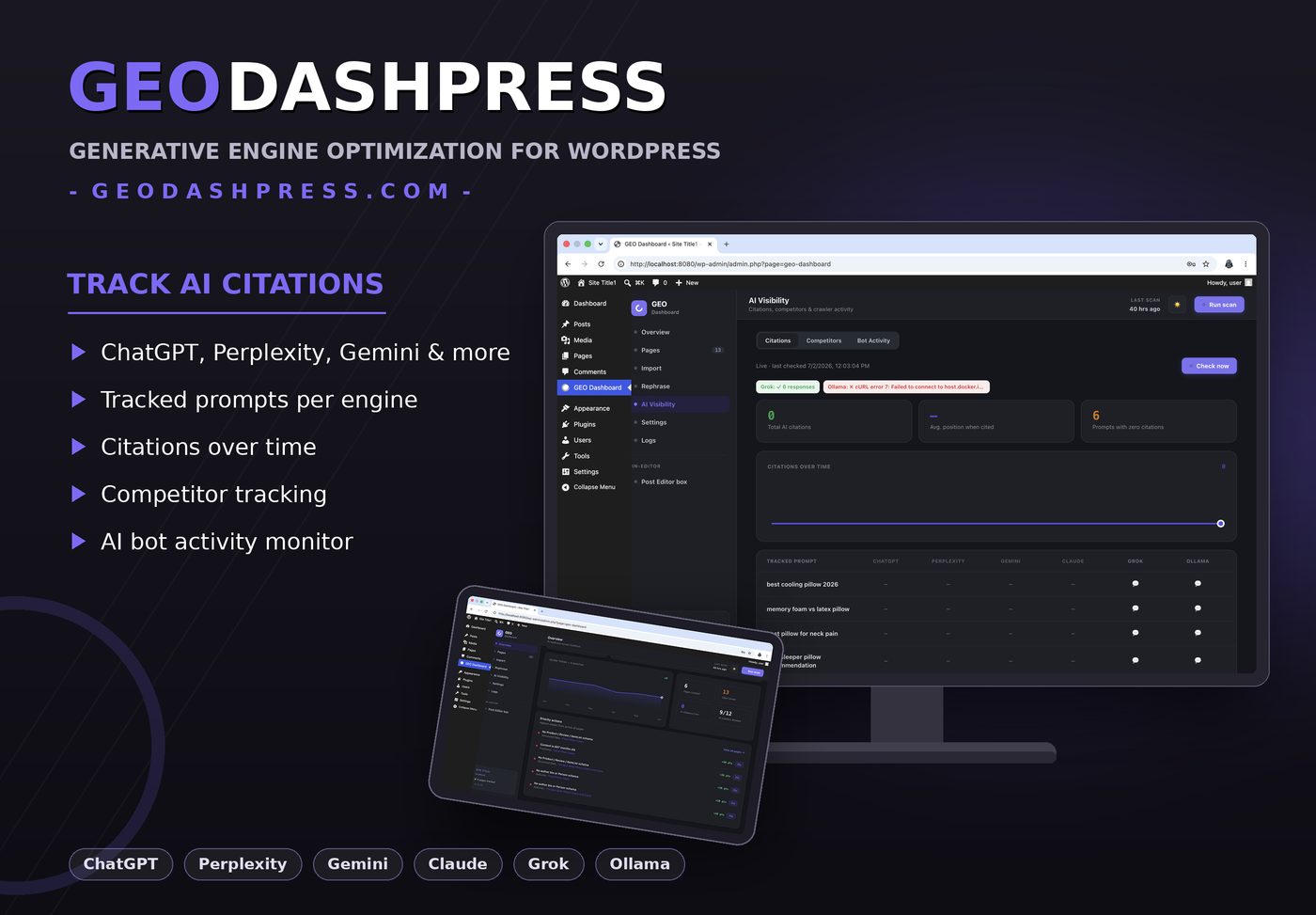
Know when AI actually cites you

Define the prompts your customers ask, and GEODashPress checks the answers across six engines — recording every citation.

  • Citations over time, per engine
  • Competitor tracking
  • AI bot activity on your site
AI Visibility — citations across ChatGPT, Perplexity, Gemini and more
Rephrase

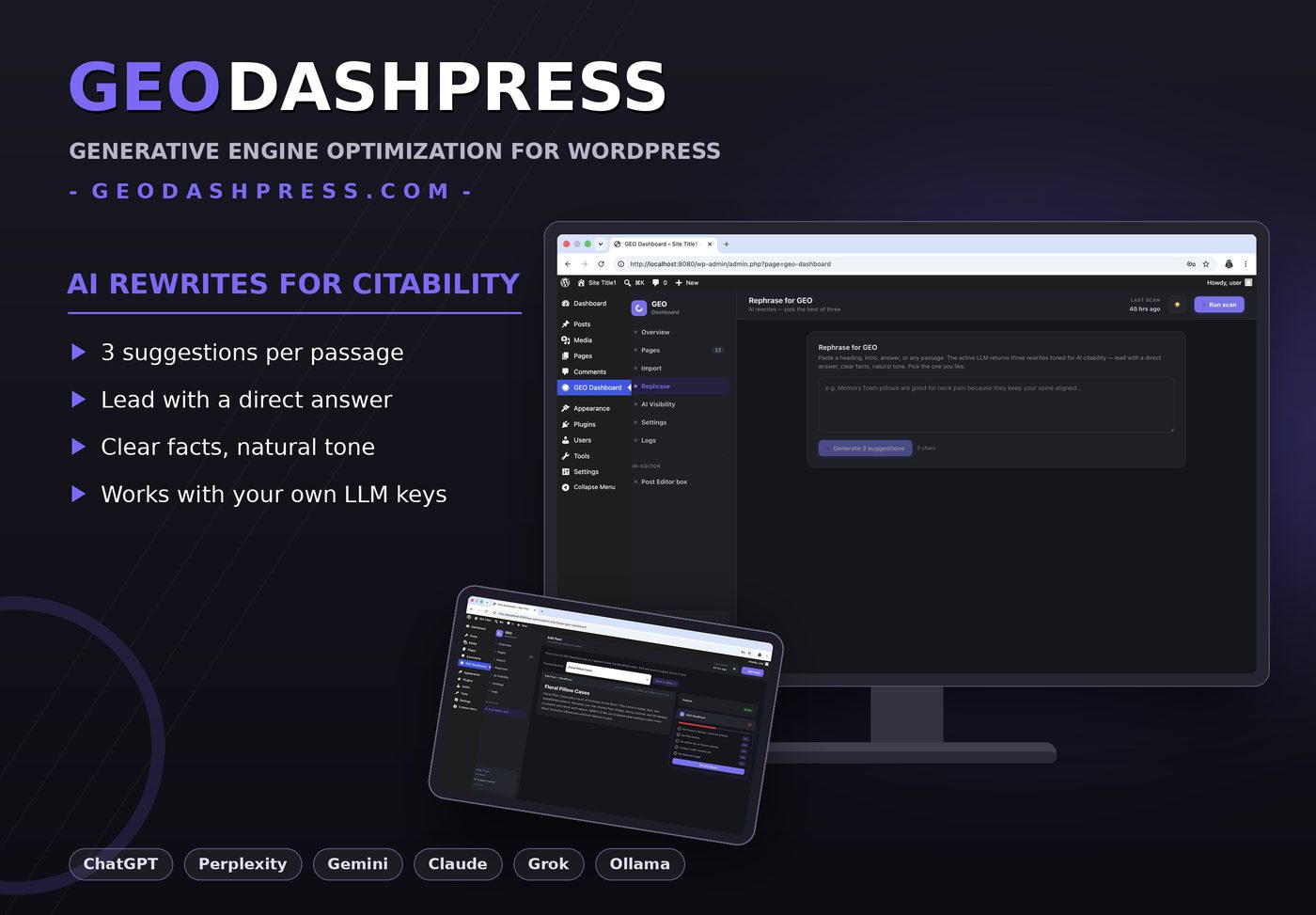
Rewrites tuned for AI citability

Lead with a direct answer, clear facts, natural tone. Paste a heading or paragraph and pick the best of three suggestions.

  • Uses your own LLM keys or local Ollama
  • Works on headings, intros and answers
Rephrase for GEO — three AI rewrites
Import

Bring content in, GEO-ready

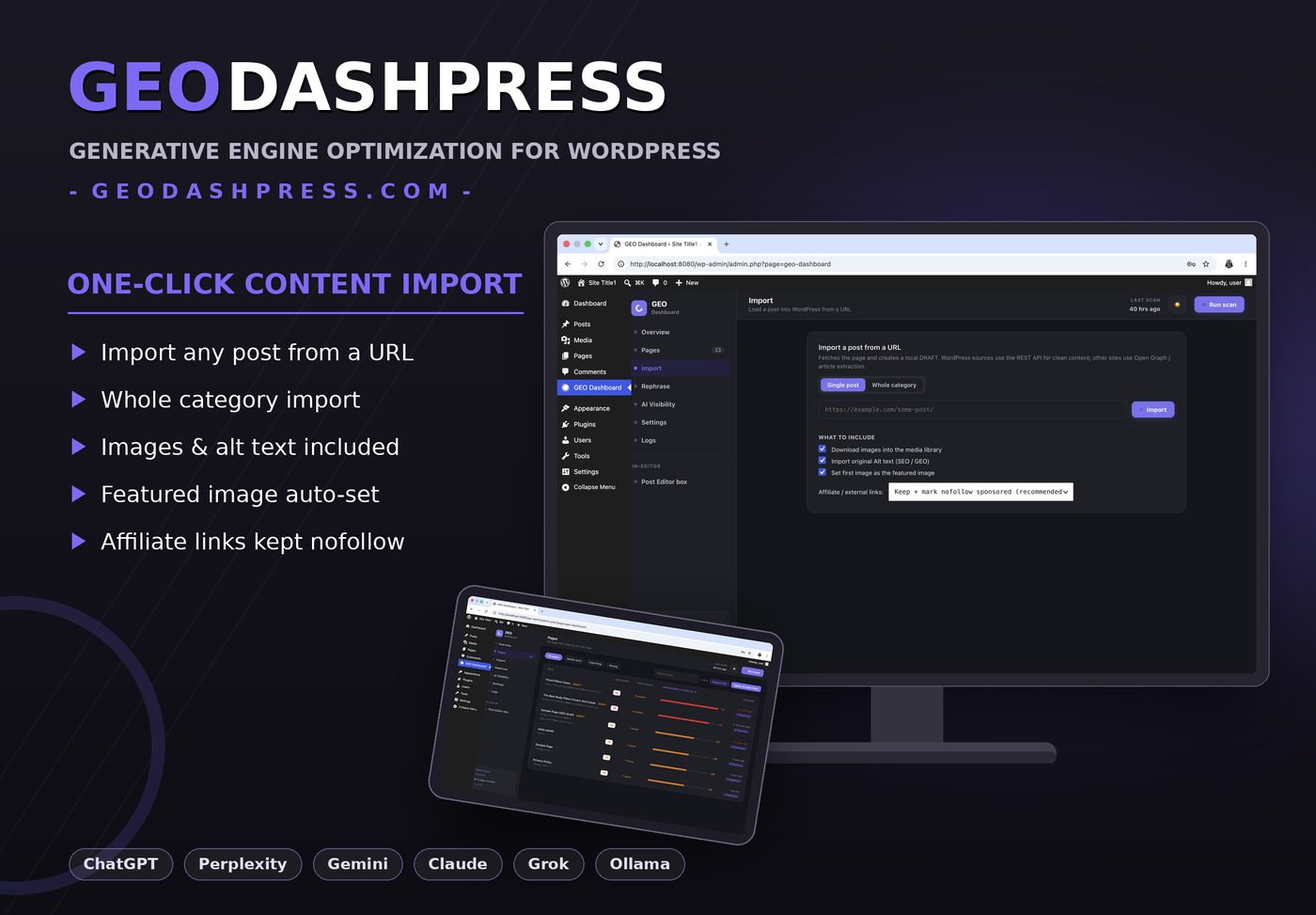
Import single posts or whole categories from any URL. Images, alt text and featured images come along — affiliate links stay nofollow.

  • WordPress REST or Open Graph extraction
  • Creates local drafts, never auto-publishes
Import a post from a URL
How it works

AI-ready in four steps

STEP 1

Install & scan

Activate the plugin and run your first scan. Every page gets a GEO score in seconds.

STEP 2

Fix the gaps

Work through priority actions — schema, freshness, author bios — with one-click fixes.

STEP 3

Open the door

Choose which AI crawlers may read your site, and add your LLM keys for live checks.

STEP 4

Track citations

Watch your tracked prompts get cited across ChatGPT, Perplexity, Gemini and more.

FAQ

Questions & answers

What is GEO (Generative Engine Optimization)?

GEO is the practice of optimizing your content so AI engines like ChatGPT, Perplexity and Gemini can understand it, trust it, and cite it as a source in their answers. GEODashPress scores every page, shows exactly what's missing, and fixes it in one click.

Does it work alongside Yoast or Rank Math?

Yes. GEODashPress detects your SEO plugin and offers a Complementary mode that only adds the schema types your SEO plugin doesn't emit — Product, Review, ItemList and FAQ — so nothing is duplicated.

Which AI engines can it track?

The AI Visibility module checks your tracked prompts against ChatGPT, Perplexity, Gemini, Claude, Grok and local models via Ollama — recording citations, average position and competitor mentions over time.

Do I need API keys?

Scanning, scoring and one-click fixes work without any keys. AI Visibility checks and AI rewrites use your own LLM API keys (or a local Ollama model), which you add once in Settings.

Will it change my content automatically?

No. Every fix is explicit: you click Fix (or Fix all) per page, you can preview drafts before publishing, and every action is logged and revertible from the activity log.

Will it slow down my site?

No. Scans run in the background in wp-admin, and the public site only gets lightweight JSON-LD schema markup — no extra scripts, no front-end queries.

Does it support drafts and staging sites?

Yes. Turn on Analyze drafts and GEODashPress scores draft and pending posts too, so content is AI-ready before it goes live. It runs fine on localhost and staging environments.

How do I control which AI crawlers can access my site?

The AI crawler panel lists the major AI bots (GPTBot, PerplexityBot, Google-Extended and more) and lets you allow or block each one — the dashboard shows how many of the 12 known crawlers are currently allowed.
Make your site the answer.

Install GEODashPress, run your first scan, and see your AI readiness score in under a minute. Tested up to WordPress 7.0.

Download from WordPress.org
Contact

Need help? We answer fast.

Questions, bug reports or feature ideas — write to us and we'll get back to you within one business day.

support@geodashpress.com